Intuit QuickBooks
QuickBooks

QuickBooks Integration for Construction Accounting & Invoice Automation

Automate construction invoice entry, approvals, and syncing into QuickBooks using AI — no manual data entry required. Sledge prepares, matches, and syncs approved invoices into QuickBooks while keeping humans in control.

how sledge works with quickbooks

1. Invoices Are Captured and Read by AI

1. Invoices Are Captured and Read by AI

AI captures emails, documents, and attachments as they arrive.

2. AI Matches or Creates Accounting Records

2. AI Matches or Creates Accounting Records

Invoices are matched to existing QuickBooks records. New ones are created only when required.

3. Humans Approve Before Syncing to QuickBooks

3. Humans Approve Before Syncing to QuickBooks

Approved invoices sync to QuickBooks. Rejected ones are stopped and sent back.

AI-Powered Invoice Automation with Human Control

Sledge uses AI to extract and prepare construction invoice data, but humans always make the final decision. Invoices must be approved in Sledge before syncing into QuickBooks. Rejected invoices are automatically sent back to the sender for correction.

WHAT SYNCS WITH QUICKBOOKS

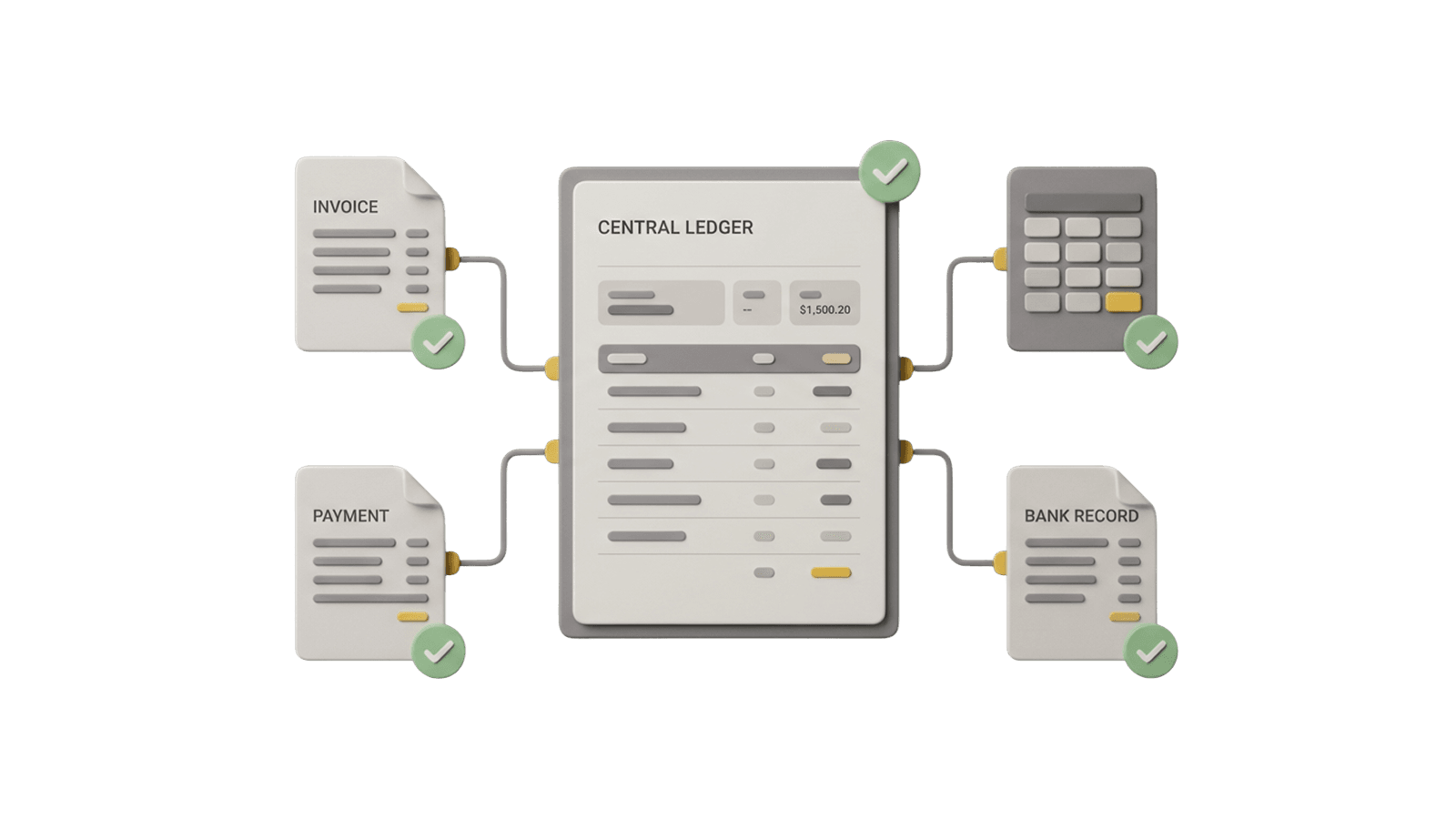
Sledge maintains a live, intelligent sync with QuickBooks to ensure invoices are entered accurately and without duplicates.

SYNCED FROM QUICKBOOKS

Vendors
Customers
Chart of Accounts
Products & Services (cost codes)

MATCHED, CREATED, AND SYNCED BY SLEDGE

Vendors (matched to prevent duplicates)
Customers
Products & Services (cost codes)
Approved bills and invoices
Attachments and audit context
Approval status

Built to Automate Construction Accounting

— Not Just Invoices

Eliminate manual invoice entry and keep QuickBooks clean with AI-powered construction accounting automation.

Frequently Asked Questions.

No. Sledge does not replace QuickBooks. Sledge works alongside QuickBooks by automating invoice intake, approvals, and data entry — then syncing clean, approved data into QuickBooks.
Sledge uses AI to:
  • Capture invoices from email and uploads
  • Extract line items, totals, vendors, and job details
  • Route invoices through approval or rejection workflows
  • Sync approved bills directly into QuickBooks

This eliminates manual invoice entry while keeping QuickBooks as your system of record.

Sledge syncs approved accounts payable data into QuickBooks, including:
  • Vendors
  • Bills
  • Line items
  • Totals and dates
  • Job or cost-related information (when applicable)

Only approved, validated data is synced.

Invoices require approval first. Sledge automates processing, but nothing syncs to QuickBooks until a human reviews and approves it. This prevents errors, duplicates, and incorrect postings.
Yes. Sledge integrates with QuickBooks Online, which is widely used for construction accounting and job-based workflows.
Yes. Sledge uses secure authentication and modern security best practices when connecting to QuickBooks. Access is limited strictly to what's required for invoice automation and syncing.
Most teams connect Sledge to QuickBooks in just a few minutes. No IT setup, complex configuration, or long onboarding required.
Most QuickBooks integrations still rely on manual entry, rigid workflows, or complex setup.

Sledge is different:

  • AI-first invoice processing
  • Built specifically for construction accounting
  • Approval-driven, not auto-posting
  • Simple setup with immediate value

Sledge reduces accounting overhead instead of adding more steps.